
RCS Typing Indicators: Real-Time User Status for Smarter Messaging
Pinnacle surfaces RCS typing indicators as real-time webhook events — so your application knows the moment a user starts composing a reply. Use it to drive support dashboards, AI response preparation, engagement tracking, and conversational UX that feels genuinely alive.
Ivan
Messaging That Knows You're There
In consumer messaging apps — iMessage, WhatsApp, Telegram — the "..." indicator is so familiar it's invisible. You send a message, you see the dots, you wait. It's a small thing that makes a big difference: you know the other person is engaged, composing a reply, present in the conversation.
Most business messaging APIs treat this signal as irrelevant. It's not. For support teams, AI-powered chatbots, and any application that responds to customer input, knowing that a user is actively typing is genuinely useful information — and Pinnacle surfaces it.
When a user begins typing a reply to your RCS agent, Pinnacle delivers a USER.TYPING webhook event to your endpoint in real time. Your application gets the signal the same way it gets delivery receipts and inbound messages — as a structured POST to your webhook.
How It Works
Typing indicators are an RCS-native feature. When a recipient opens a conversation with your RCS agent and begins composing a reply, the RCS protocol sends a typing event upstream. Pinnacle receives this event from the carrier and forwards it to your registered webhook as a USER.TYPING event.
The event includes:
- The recipient's phone number (the user who is typing)
- The RCS agent that received the typing signal
- A timestamp
That's the full signal — not a transcript of what they're typing, just the fact that they are. It fires when they start typing and gives your application a ~20-second window to act before the signal naturally expires.
Important: USER.TYPING events are exclusive to RCS agents. Phone number senders (SMS/MMS) do not support typing indicators — this capability is specific to the RCS protocol.
Setting Up Typing Indicator Webhooks
Attach a webhook to your RCS agent, filtered to USER.TYPING events:
import { PinnacleClient } from "rcs-js";
const client = new PinnacleClient({ apiKey: process.env.PINNACLE_API_KEY });

await client.webhooks.attach({
  senders: ["agent_your_brand"],
  name: "Typing Indicator Handler",
  url: "https://api.yourapp.com/webhooks/pinnacle",
  event: "USER.TYPING",
});
Or attach all event types at once and filter in your handler:
await client.webhooks.attach({
  senders: ["agent_your_brand"],
  url: "https://api.yourapp.com/webhooks/pinnacle",
  name: "All Events",
  event: null, // null = all events: MESSAGE.STATUS, MESSAGE.RECEIVED, USER.TYPING
});
Handling the Event
In your webhook handler, the pattern is the same as any other Pinnacle event — respond immediately to acknowledge, then process:
app.post("/webhooks/pinnacle", async (req, res) => {
  res.status(200).send(); // Acknowledge immediately

  const { event, data } = req.body;

  if (event === "USER.TYPING") {
    const { from, agentId, timestamp } = data;
    console.log(`${from} is typing to agent ${agentId}`);
    // Update support dashboard, prepare AI response, log engagement signal
  }
});
Sending Typing Indicators From Your Agent
The signal goes both ways. You can send a typing indicator from your RCS agent to the user — showing the familiar animated dots in their messaging app while your system processes a response:
await client.messages.rcs.sendTyping({
  agentId: "your-rcs-agent-id",
  to: "+14155551234",
});
The indicator shows for approximately 20 seconds or until your agent sends its next message — whichever comes first. This is particularly valuable for AI-powered agents: send the typing indicator the moment a user message arrives, run your LLM inference, then send the reply. The user sees natural pacing instead of an abrupt silent pause followed by an instant response.
What to Build With This
Support Dashboard: "Customer Is Typing"
Display a live typing status in your internal support interface. When a support rep is viewing a conversation and the customer starts composing, show the indicator — the same way a consumer chat widget would. This primes the agent to have a response ready, reducing response latency and improving the quality of the first reply.
if (event === "USER.TYPING") {
  // Push to support dashboard via WebSocket
  io.to(`conversation:${data.from}`).emit("user_typing", {
    phoneNumber: data.from,
    timestamp: data.timestamp,
  });
}
AI Response Preparation
For AI-powered messaging agents, typing indicators are an early warning signal: a user is about to send something. Use it to warm up your inference pipeline — initialize the model context, fetch the customer's conversation history, pre-load relevant data — so that when the actual message arrives, you're ready to respond faster.
if (event === "USER.TYPING") {
  // Pre-fetch conversation context while user is composing
  const history = await getConversationHistory(data.from);
  await warmupInference(history);
}
Engagement Analytics
Track typing events as engagement signals. A user who opens a conversation but doesn't type is different from one who starts composing and abandons — and both are different from one who types and sends. These signals, combined with read receipts and reply rates, give you a more complete picture of how customers engage with your RCS messages.
if (event === "USER.TYPING") {
  await analytics.track("rcs_user_typing", {
    phoneNumber: data.from,
    agentId: data.agentId,
    timestamp: data.timestamp,
  });
}
Natural Conversational Pacing
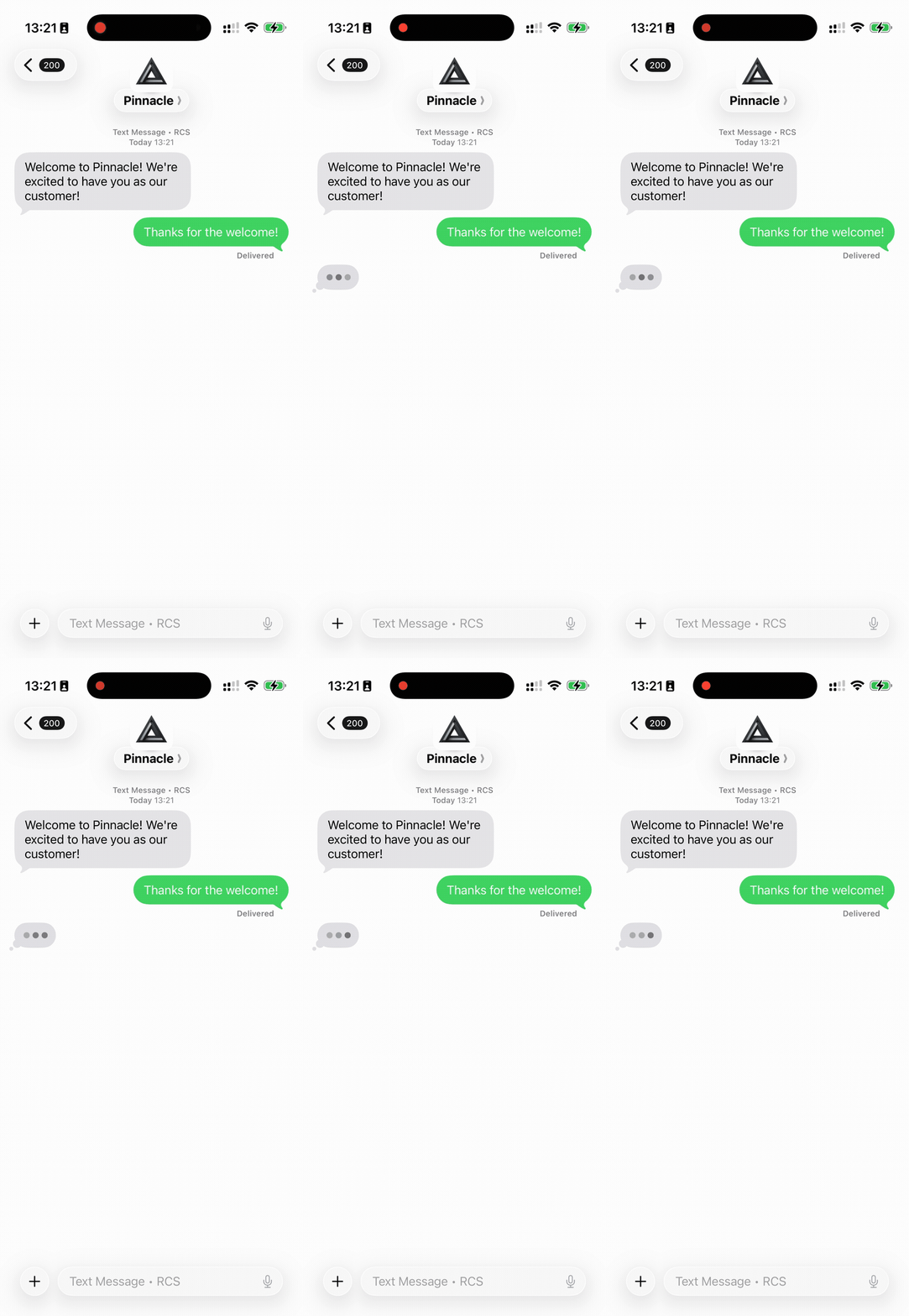
Pinnacle's MCP server exposes a send_typing_indicator tool — meaning any AI agent connected via MCP (Claude, custom LLM agents, etc.) can send typing indicators to users directly, without writing API integration code. The agent calls the tool, the user sees animated dots, and the conversation paces naturally. Instead of responding instantly (which feels robotic) or after a fixed delay (which feels fake), the agent shows presence while it processes, then replies when ready. The experience is indistinguishable from talking to a human.
async function handleInboundMessage(
  from: string,
  agentId: string,
  text: string,
) {
  // Show typing immediately while processing
  await client.messages.rcs.sendTyping({ agentId, to: from });

  // Process the message (AI response, database lookup, etc.)
  const reply = await generateReply(text, from);

  // Send the actual response
  await client.messages.rcs.send({
    to: from,
    from: agentId,
    text: reply,
    quickReplies: [],
  });
}
Storing Typing Status
For applications that need to track typing state across multiple conversations — a support inbox with dozens of active threads, or an analytics pipeline — the pattern is to store the latest typing timestamp per contact and set a short expiry:
// Store typing status with TTL in Redis
if (event === "USER.TYPING") {
  await redis.setex(
    `typing:${data.from}`,
    25, // expire after 25 seconds (slightly longer than the ~20s RCS window)
    JSON.stringify({ agentId: data.agentId, timestamp: data.timestamp }),
  );
}

// Check if user is currently typing
async function isUserTyping(phoneNumber: string): Promise<boolean> {
  return (await redis.exists(`typing:${phoneNumber}`)) === 1;
}
This gives you a live "is typing" flag per contact that automatically expires — no cleanup job required, no stale state.
Frequently Asked Questions
Does USER.TYPING work for SMS or MMS senders?
No. Typing indicators are an RCS-native feature. USER.TYPING events are only delivered for RCS agent senders. Phone number-based SMS/MMS senders don't support the typing indicator protocol.
How long does the typing indicator signal last?
The RCS typing indicator is active for approximately 20 seconds after it fires, or until the user sends their message. If a user starts and stops typing multiple times, each start triggers a new USER.TYPING event. USER.TYPING events sent within a minute get grouped into one event.
Can I receive typing events for all my RCS agents at once?
Yes. Attach a single webhook to multiple agents:
// Attach to multiple agents at once
await client.webhooks.attach({
  senders: ["agent_id_1", "agent_id_2", "agent_id_3"],
  name: "Typing Events",
  url: "https://api.yourapp.com/webhooks/pinnacle",
  event: "USER.TYPING",
});
Does sending a typing indicator cost credits?
No. Typing indicators are a signaling mechanism, not a message. They don't count as sent messages and don't consume credits.
Can I suppress the typing indicator if my agent doesn't use it?
Yes. Simply don't attach a USER.TYPING webhook and don't call send_typing_indicator (via the SDK or MCP) — the feature is opt-in entirely.
Key Takeaways
USER.TYPINGwebhook: Fires in real time when an RCS user begins composing a reply — delivered to your endpoint as a structured POSTsend_typing_indicator(SDK + MCP tool): Send the animated dots from your RCS agent to the user while you process a response — available via the SDK or as an MCP tool for AI agents- RCS-exclusive: Typing indicators are an RCS protocol feature and only available for RCS agent senders
- ~20-second window: The typing signal is active for approximately 20 seconds; use a short TTL when storing typing state
- Use cases: Support dashboards, AI inference warm-up, engagement analytics, natural conversational pacing for automated agents
Get Started
Attach a typing indicator webhook to your RCS agent from app.pinnacle.sh/dashboard/development/webhooks or via the webhooks API. For the full event payload schema, see the receiving messages guide.
Want to see how Pinnacle fits your stack? Book a 30-minute call with one of our engineers — we'll walk through your use case and get you live.