
Send SMS, MMS, and RCS with One SDK
One install — and you can send SMS, MMS, and RCS from TypeScript, Python, or Ruby. Here's exactly how.
Ivan
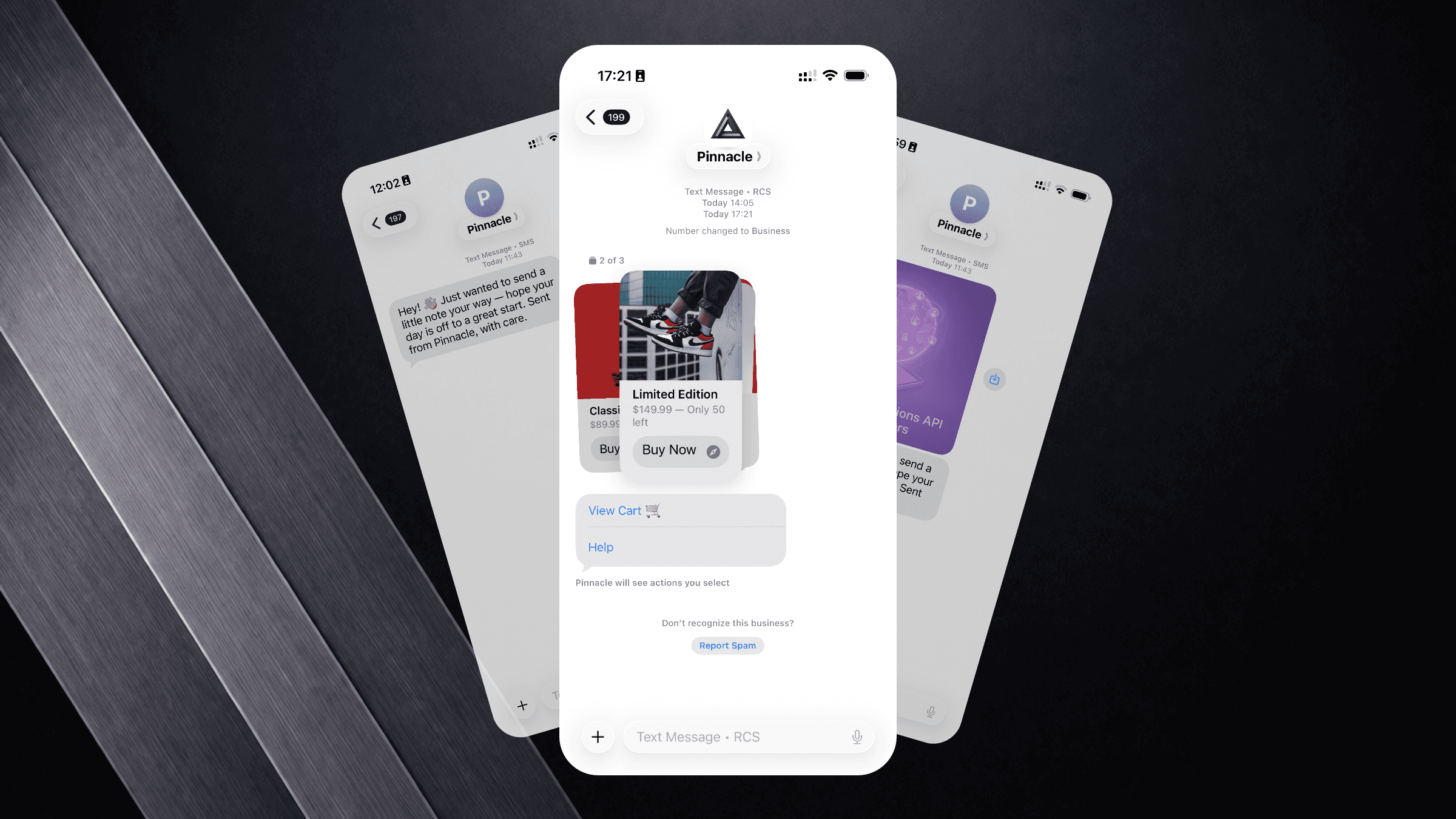
You signed up for Pinnacle to send rich messages. Your backend might be TypeScript, Python, or Ruby. Either way, the SDK is the same idea: one package, one API key, all four channels. Here's the shortest path from zero to sending.
Choose your language
Install
npm install rcs-jsPackage on npm.
Initialize the Client
import { PinnacleClient } from "rcs-js";

const client = new PinnacleClient({ apiKey: "pnclk_..." });
Your API key lives in the Pinnacle dashboard under Settings → API Keys. Keep it server-side — never expose it in client bundles.
Send an SMS
Plain text. 160 characters per segment, delivered to every phone on the planet.
await client.messages.sms.send({
  from: "+12015550100",
  to: "+14155551234",
  text: "Your order #4821 has shipped.",
});
The from number must be a Pinnacle-provisioned phone number. You can buy one from the dashboard or via the API. Full reference: Send SMS.
Send an MMS
Add a media URL to attach images, GIFs, short videos, or vCards.
await client.messages.mms.send({
  from: "+12015550100",
  to: "+14155551234",
  text: "Here's your receipt.",
  mediaUrls: ["https://cdn.example.com/receipts/4821.pdf"],
});
MMS supports up to 4.5 MB per message and up to 10 files. Accepted formats include JPEG, PNG, GIF, MP4, PDF, and vCard. Full reference: Send MMS.
Send an RCS Message
RCS is where it gets interesting. You can send a plain text RCS message, attach rich cards, or add quick replies — all from the same send call.
Text + Quick Replies
await client.messages.rcs.send({
  from: "your_rcs_agent_id",
  to: "+14155551234",
  text: "How was your delivery experience?",
  quickReplies: [
    { type: "trigger", title: "Great 👍", payload: "rating_good" },
    { type: "trigger", title: "Could be better", payload: "rating_bad" },
  ],
});
Rich Card
A rich card combines an image, title, subtitle, and action buttons in a single interactive tile.
await client.messages.rcs.send({
  from: "your_rcs_agent_id",
  to: "+14155551234",
  cards: [
    {
      title: "Winter Jacket — $129",
      subtitle: "Waterproof, rated to -20°C. Ships in 2 days.",
      media: "https://cdn.example.com/products/jacket.jpg",
      buttons: [
        {
          title: "Buy Now",
          type: "openUrl",
          payload: "https://shop.example.com/jacket",
        },
        { title: "Save for Later", type: "trigger", payload: "save_jacket" },
      ],
    },
  ],
});
The from field for RCS is your RCS agent ID (not a phone number). You get this when your RCS agent is approved — Pinnacle handles the approval process for you. Full reference: Send RCS.
Automatic Channel Fallback
Not every recipient supports RCS. Pinnacle gives you two ways to handle this.
Option 1: the fallback field
Pass a fallback object directly in your RCS send call. If the recipient's device doesn't support RCS, Pinnacle automatically delivers the fallback as SMS or MMS — no extra logic on your end.
await client.messages.rcs.send({
  from: "your_rcs_agent_id",
  to: "+14155551234",
  text: "Your order #4821 has shipped.",
  fallback: {
    from: "+12015550100",
    text: "Your order #4821 has shipped.",
  },
});
The fallback.from must be a Pinnacle-provisioned phone number with SMS/MMS capabilities. You're only charged for whichever message is actually delivered.
Option 2: check capabilities first
If you want to branch your logic — for example, send a rich card to RCS users and a plain SMS to everyone else — call getCapabilities before sending:
const capabilities = await client.rcs.getCapabilities({
  phoneNumbers: ["+14155551234"],
});
// null means RCS not supported
if (capabilities["+14155551234"]) {
  await client.messages.rcs.send({
    from: "your_rcs_agent_id",
    to: "+14155551234",
    text: "...",
  });
} else {
  await client.messages.sms.send({
    from: "+12015550100",
    to: "+14155551234",
    text: "...",
  });
}
For most use cases the fallback field is simpler — reach for getCapabilities when you need per-device branching logic.
Key Takeaways
- Install one package for your language and you get SMS, MMS, and RCS from the same client.
- Python uses
from_and Ruby usessend_as thin workarounds for reserved keywords — everything else is symmetric. - RCS
fromis an agent ID, not a phone number; SMS/MMSfromis a Pinnacle-provisioned E.164 number. - Call
getCapabilitiesbefore sending RCS, or rely on Pinnacle's automatic fallback chain.
FAQ
1. Where do I get an RCS agent ID? After onboarding, your agent ID appears in the dashboard under Agents. Pinnacle registers your RCS agent with carriers on your behalf — typically 1–2 weeks for US carrier approval.
2. Can I use the same phone number for SMS, MMS, and RCS? SMS and MMS share a phone number. RCS uses a separate agent identity. They're linked in the Pinnacle dashboard.
3. What happens if a message fails?
Every send returns a message ID. Check delivery status via webhook events (message.delivered, message.failed) or the Messages API.
4. Is there a sandbox? Yes. The Pinnacle sandbox lets you send to whitelisted test numbers immediately, no carrier approvals required. Switch to production by swapping your API key.
5. Do the SDKs support async?
TypeScript is fully async. The Python SDK supports both sync and async via AsyncPinnacle. Ruby is synchronous by default.
Book a 30-minute call with the Pinnacle team — we'll walk through your use case, pick the right channels, and get you live fast.