
Hosted Forms: Collect Structured Responses Over SMS and RCS in One API Call
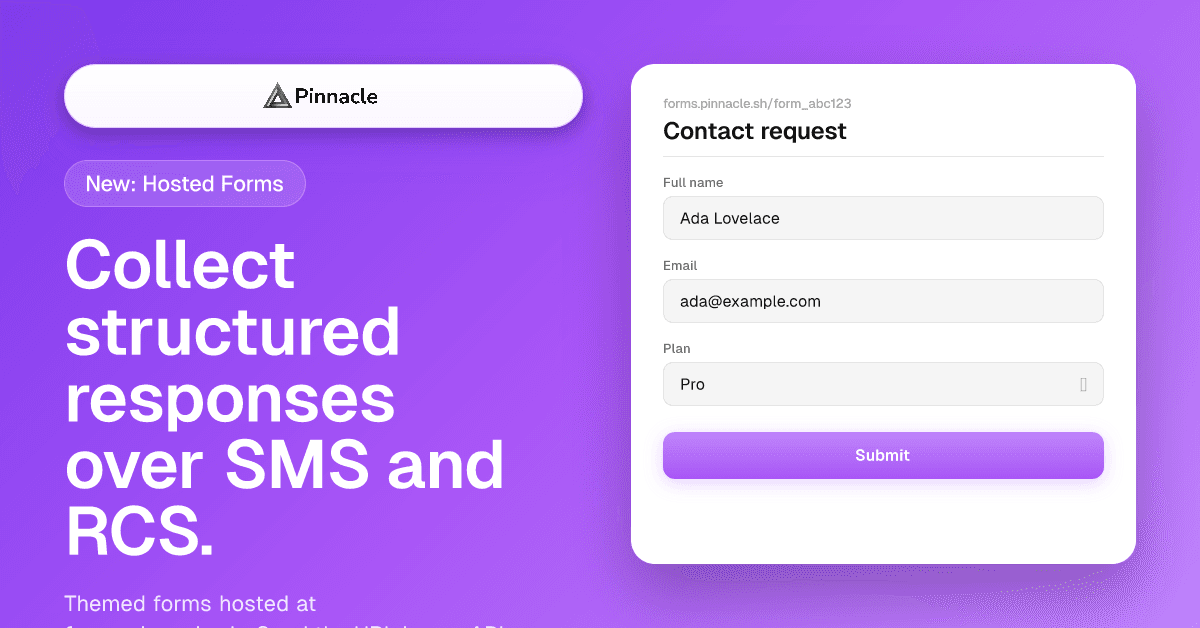
Pinnacle now ships hosted forms — themed, mobile-first forms hosted at forms.pinnacle.sh that you can deliver over SMS or RCS in a single API call. 16 field types, theme overrides, updatable submissions, and a new FORM.SUBMISSION webhook event.
Ivan
The Problem with Collecting Structured Data Over Messaging
SMS and RCS are great for sending information out. They're terrible for collecting it back.
If you want a recipient to provide their address, pick a date, rate their experience on a 1–5 scale, or attach an email — your options have always been awkward:
- Free-text replies. "Reply with your full name and address" works for one-off requests, but the data comes in unstructured. Now you're parsing strings, validating formats, and handling a long tail of "Sure, my address is 123 main st apt 4b" responses.
- External form services. Build the form in Typeform, host it somewhere, manage the URL, set up webhooks, parse the responses, and then somehow correlate them back to the conversation that triggered the link. That's a lot of plumbing for what should be a simple ask.
- RCS quick replies. Useful for binary "yes/no" or simple choices, but they don't help you collect a date, an email, a rating, or anything multi-field.
Pinnacle's new Hosted Forms solves this. Mint a themed form URL, deliver it over SMS or RCS in the same API call, and receive completed submissions as a structured FORM.SUBMISSION webhook event — no external form service, no string parsing, no correlation overhead.
 Send a themed form over SMS or RCS in one API call. The recipient taps the button, fills it out, and you receive a structured webhook event when they submit.
What Hosted Forms Ships With
One API Call to Send a Form
The core endpoint, POST /forms/send, creates a form (or reuses an existing one) and delivers its URL over SMS or RCS in a single call.
import { PinnacleClient } from "rcs-js";
const client = new PinnacleClient({ apiKey: process.env.PINNACLE_API_KEY });

await client.forms.send({
  from: "agent_your_brand", // agent_* sends via RCS; E.164 phone sends via SMS
  to: "+14155551234",
  form: {
    name: "Contact request",
    fields: [
      { type: "text", key: "full_name", label: "Full name", required: true },
      { type: "email", key: "email", label: "Email", required: true },
      {
        type: "select",
        key: "plan",
        label: "Which plan are you interested in?",
        required: true,
        options: [
          { value: "starter", label: "Starter" },
          { value: "pro", label: "Pro" },
          { value: "enterprise", label: "Enterprise" },
        ],
      },
    ],
  },
  fallback: {
    from: "+18005550001", // SMS fallback if recipient can't receive RCS
  },
});
That's it. Pinnacle hosts the form at https://forms.pinnacle.sh/{form_id}, dispatches the message, and tracks the submission against the conversation when it comes in.
Automatic Sender + Recipient Attribution
This is what makes forms feel like a first-class messaging primitive instead of a bolt-on. When you send a form via POST /forms/send with a to, Pinnacle automatically:
- Binds the submission to the sender —
submission.fromis set to the agent or phone number that sent the form, so the right webhook subscriber receives the event - Binds the submission to the recipient —
submission.toechoes the E.164 number the form was sent to, with the outboundmessage_idrecorded for traceability - Threads the submission into the conversation — when the form is completed, the
FORM.SUBMISSIONwebhook event includes aconversationreference linking back to the original message thread
You don't write any correlation logic. The same webhook endpoint that receives MESSAGE.RECEIVED and MESSAGE.STATUS events now receives FORM.SUBMISSION events for the same conversations — no separate plumbing, no joining tables across services. A user gets your RCS message → taps the link → fills out the form → your webhook fires with the response and the conversation context attached. Seamless from your code's perspective.
If you'd rather mint a form URL without sending it (for embedding in your own outreach), use POST /forms and you'll get back the public URL — submissions still fire FORM.SUBMISSION webhook events, just without a recipient or conversation reference attached.
16 Field Types Out of the Box
Forms aren't useful if every input is a text box. Pinnacle ships 16 field types covering the inputs business messaging actually needs:
| Category | Field types |
|---|---|
| Text | text, textarea |
| Validation-aware | email, url, phone (auto-formats and E.164-normalizes), number, range slider, rating stars |
| Temporal | date, time, datetime |
| Selection | select (dropdown), radio (single choice), checkbox (multi-select) |
| Specialized | color picker, address (with Google Places autocomplete built in) |
Each field supports validation rules — required/optional, min/max length, regex patterns (validated server-side with RE2 to prevent catastrophic backtracking), numeric bounds, step increments, and option constraints for select/radio/checkbox.
{
  type: "address",
  key: "shipping_address",
  label: "Shipping address",
  required: true,
}
The address field handles the messy work — autocomplete via Google Places, structured output, no user typing "St." vs "Street" debates.
Theme Overrides Per Form
Forms inherit your team's default theme (set once in the Pinnacle Dashboard → Forms) but every form supports a theme_override for one-off customization.
You can override:
- Colors — primary, background, text (with contrast ratio warnings if you pick something unreadable)
- Background — solid, gradient (with light/dark variants), pattern, or image
- Typography — font family
- Shape — corner radius
- Copy — submit button label, success message, post-submission redirect URL
- OG / favicon / logo — per-form branding for social sharing and tab metadata
await client.forms.create({
  name: "VIP Welcome",
  fields: [
    /* ... */
  ],
  theme_override: {
    colors: { primary: "#6B4EFF" },
    copy: {
      submit_button: "Join the VIP list",
      success_message: "You're in. Check your phone for the welcome message.",
      redirect_url: "https://yourapp.com/vip/welcome",
    },
  },
});
The theme editor in the dashboard lets non-technical team members configure defaults visually — colors, fonts, backgrounds — and see live previews before saving.
 Build forms with all 16 field types in the dashboard, with a live mobile preview that updates as you edit.
Updatable Submissions
Set can_update: true on a form, and recipients can reopen their submission URL to edit their answers. The form rehydrates with their previous values, the submission_count reflects distinct recipients, and last_submitted_at tracks the most recent edit.
This is useful for:
- Profile updates — "Update your shipping preferences" links that work months later
- Multi-step intake — a form that the recipient saves halfway, comes back to, and finishes
- Editable confirmations — a booking form where the customer can change their answer up until a deadline
Each edit fires a fresh FORM.SUBMISSION webhook event with the updated values.
The FORM.SUBMISSION Webhook Event
When a recipient completes a form, every webhook subscribed to the sender receives a FORM.SUBMISSION event with a complete, resolved snapshot of the submission:
{
  "type": "FORM.SUBMISSION",
  "sender": "agent_iM9wQcyBBjYn",
  "conversation": {
    "id": "convo_H2tiG5kvhxQQHUb6",
    "from": "agent_iM9wQcyBBjYn",
    "to": "+14155551234"
  },
  "form": {
    "id": "form_abc123",
    "url": "https://forms.pinnacle.sh/form_abc123",
    "name": "Contact request"
  },
  "submission": {
    "id": "fsub_xyz789",
    "from": "agent_iM9wQcyBBjYn",
    "to": "+14155551234",
    "data": {
      "full_name": "Ada Lovelace",
      "email": "ada@example.com",
      "plan": "pro",
      "interests": ["rcs", "sms"]
    },
    "fields": [
      { "key": "full_name", "label": "Full name", "type": "text", "value": "Ada Lovelace" },
      { "key": "email", "label": "Email", "type": "email", "value": "ada@example.com" },
      { "key": "plan", "label": "Plan", "type": "select", "value": "pro" },
      { "key": "interests", "label": "Interests", "type": "checkbox", "value": ["rcs", "sms"] }
    ],
    "ip_address": "203.0.113.45",
    "user_agent": "Mozilla/5.0 …",
    "submitted_at": "2026-04-24T00:35:04.406Z"
  }
}
A few details worth calling out:
- The payload includes both the resolved field definitions (label, type) and the submitted values — no separate
get_formcall needed to render or route on the response. - The
conversationreference correlates the submission back to the original send. If you minted the form URL without sending it (noto),conversationisnull. - Every field from the form definition is included in
submission.fields, including those the recipient left blank — checkvaluefornullor an empty array. - For
can_update: trueforms, each edit fires a fresh event.
Handle it the same way you handle any other Pinnacle webhook event:
app.post("/webhooks/pinnacle", async (req, res) => {
  res.status(200).send();

  const { type, submission, form } = req.body;

  if (type === "FORM.SUBMISSION") {
    await db.contacts.upsert({
      phone: submission.to,
      name: submission.data.full_name,
      email: submission.data.email,
      plan: submission.data.plan,
    });

    await crm.createLead({
      source: "rcs_form",
      formName: form.name,
      data: submission.data,
    });
  }
});
What You Can Build With This
Lead Capture from RCS Campaigns
Send a promotional RCS card with a "Get a quote" button. The button opens a hosted form. Submissions land in your CRM via the webhook.
Appointment Booking
Combine a date/time picker with text fields for name and notes. Send the form link in an SMS reminder. Bookings flow into your scheduling system as structured data.
Customer Feedback (NPS, CSAT, Reviews)
Use the rating field for an NPS score, a textarea for comments, and a select for category. Send post-purchase. Aggregate scores in your analytics pipeline.
Multi-Field Verification or Onboarding
Collect address, identity details, and preferences in one form instead of a back-and-forth conversation. Mark the form can_update: true so the recipient can come back and finish later.
Triggered Re-Engagement
Send "Update your preferences" links to lapsed customers. Hosted forms with can_update: true let them reopen their previous answers and adjust without starting over.
MCP Support
Forms are fully exposed through the Pinnacle MCP server. AI agents can:
create_form— design and persist a formsend_form— deliver a form URL over SMS or RCSget_form— retrieve a form definitionupdate_form— edit fields, theme overrides, or settingslist_forms— paginate through all formslist_form_submissions— paginate through submissions for a specific form
Combined with the existing messaging tools, an AI agent can run an entire intake flow: draft questions for a use case, create the form, send it to a contact list, and process submissions as they come in — all from a natural-language prompt.
Frequently Asked Questions
Where are the forms hosted?
At https://forms.pinnacle.sh/{form_id}. They're mobile-first, fast, and themed to your brand. No external service needed.
Can I embed the form in my own website?
The form URL is publicly accessible, so you can link to it from anywhere — your website, an email, a QR code, an Instagram bio. To mint a form URL without sending it, use POST /forms. To mint and send in one call, use POST /forms/send. Omit to from /forms/send to mint a standalone submission URL without dispatching a message.
Are submissions tied to the conversation that triggered them?
Yes — when you send a form via POST /forms/send with a to, Pinnacle records the recipient and outbound message ID on the submission. The FORM.SUBMISSION webhook event includes a conversation reference so you can route it back to the right thread.
What about validation?
Server-side. Required fields, length limits, regex patterns, numeric/date bounds, and option constraints are all enforced before a submission is accepted. Regex patterns are validated with RE2 to prevent catastrophic backtracking.
Can recipients edit their submission after the fact?
Only if you set can_update: true when creating the form. The form rehydrates with the recipient's previous values, and each edit fires a fresh FORM.SUBMISSION webhook event.
How does this compare to Typeform or Google Forms?
Typeform and Google Forms are great general-purpose form builders, but they're disconnected from your messaging infrastructure. With Pinnacle Hosted Forms, the form, the delivery channel (SMS/RCS), and the webhook all live in the same platform — no separate accounts, no manual webhook configuration, no correlation logic to write.
Key Takeaways
- One API call. Create a form, send it via SMS or RCS, and receive submissions through a webhook — all from a single platform.
- 16 field types. Text, email, phone (E.164-normalized), date/time pickers, ratings, color, address with Google Places autocomplete, and more.
- Themed forms. Set team-wide defaults, override per form. Configure visually in the dashboard.
- Updatable submissions. Recipients can reopen and edit. Each edit fires a fresh webhook event.
FORM.SUBMISSIONwebhook. Resolved field definitions + submitted values in one payload. No separateget_formcall needed.- MCP support. Full forms API exposed to AI agents through the Pinnacle MCP server.
Get Started
Create your first form in the Pinnacle Dashboard → Forms or via the API. For the full webhook event schema, see the receiving messages guide.
If you're not yet on Pinnacle, sign up and start collecting structured responses over SMS and RCS today. Questions? Get in touch.